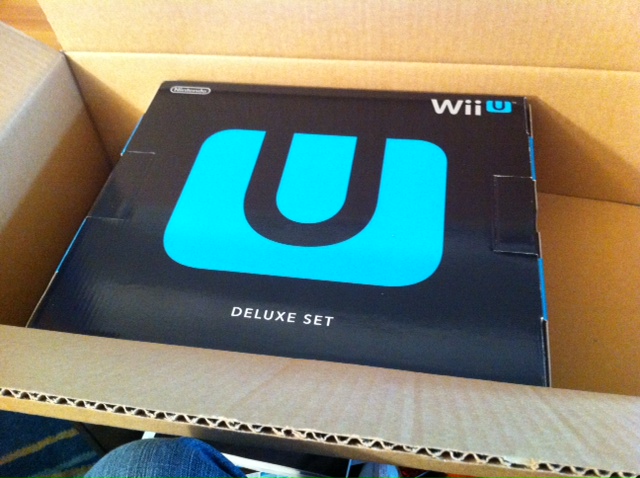
After months of sitting on a pre-order, Steff and I’s Wii U came to us in the mail not long after launch. Though I’ve had the opportunity to play the system a few times at demo stations, I was really excited to try out the system for realsies in the comfort of my own home. Here’s how our initial experience went with setting it up and using it for the first few hours.

The Hardware
The actual Wii U system is pretty non-descript. From the front, it looks like a slightly different Wii. The only real difference is in length. The system is notably longer than the Wii, but in overall square inches, it’s smaller than a slim PlayStation 3 or original XBOX 360. The deluxe bundle comes with stands should you want to orient the system on its side. It has two USB ports on the front and two on the back. What’s notably absent between the transition between it and its predecessor is the Gamecube controller ports. People are going to want to nitpick about what’s under the hood but I’m not the guy to speak to the nuts and bolts. I can say that from what I saw of Nintendo Land and New Super Mario Bros. U, its horsepower initially seems on par with the likes of the PS3 and 360.
The true star of the show though is the giant controller with the screen in the middle. I’ve written about my initial impressions of it a few months ago, though my thoughts on it have definitely warmed since. I’ve gotten accustomed to the button layout to the point where I don’t need to look down for reference. Despite its size, the controller feels really good in your hands thanks to its contoured shape and light weight. The added touch screen looks great, even if it’s not outputting in HD. It’s also worth noting that there’s no noticeable lag between the TV and the touch screen display. While it’s disappointing that the screen doesn’t support multi-touch, it does work as you’d expect a DS touch screen to. When the screen is used creatively (such as in Rayman Legends or Nintendo Land), the experience is rad and not like anything you’ve done before. We’ll see if developers can find enough compelling experiences of the tech to justify it.
Besides acting as an input mechanism, certain games will allow you to play them in full on the touch screen without a television. Until I finally got the system home, I didn’t think much of it. However, when Steff wanted to watch TV and I realized I could keep my game going from the couch, the bedroom, or in the bathroom without skipping a beat, I realized how cool that actually is. Not to say that I’d actually use it in the bathroom, but I digress.
You can even use the GamePad as your television remote. With just a few steps, we can now use it to control our television and our cable box. This functionality is neat for changing channels and adjusting the volume, but it doesn’t give you any control over advanced options, such as your PVR.

Setup
Configuring controllers and most of the basic hardware functions is a breeze. Simply follow the on-screen prompts and you’re good to go. Getting this system online was a completely different story. Following through on the prompts proved fruitless, as the system couldn’t find my network for whatever reason. I eventually got it online, only after following this overly complicated guide. The fact that I have to noodle with DNS settings and ports in 2012 is ridiculous. The only thing worse than this was sitting through the embarrassingly long download time for the day one firmware update. This took well over an hour to download in full, and then another 30 minutes to install. Worse, if for whatever reason the system is turned off during this process, it will brick your console. Thankfully, mine went fine, but 90 minutes is a long time for something to go awry. Should you choose to skip this step, you won’t get access to virtually any online functionality, such as Miiverse or Netflix.
Finally, Steff and I were ready to play Nintendo Land, only to run into a day one patch that took another 20 minutes to download and install. Ugh!
The Operating System
By default, the operating system runs almost entirely on the GamePad itself. The television displays the Miiverse and some promotional touts, but you’ll be navigating between apps through the controller. It’s simple enough to select what you want, but the initial load of every app is slow. Upon clicking on something, it takes a good 15-20 seconds before anything loads in. I really hope that they can improve this through further firmware updates, because it slows down the experience dramatically.
In Conclusion?
I really like the hardware, especially the controller. However, there’s definitely kinks on the OS front that should be addressed sooner rather than later. Because this system has the ability to download updates, I’m hoping that they’ll eventually upgrade the OS to the point where it functions as well as the XBOX or PlayStation OS. Stay tuned for more hardware impressions and game reviews!
 In Third Person