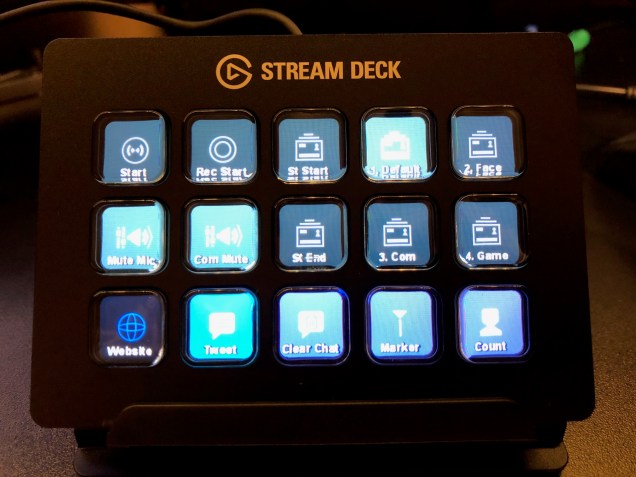
Before I began streaming, I dismissed the Elgato Stream Deck as an expensive gimmick. At its regular price of $150 US/$220 CAD, you are paying a lot for what simply appears to be nothing more than 15 buttons. Once I started getting into streaming, I felt that I could manage my stream just fine with a keyboard and mouse.
With many hours of streaming under my belt now, I’ve begun to understand where a device like the Stream Deck could come in handy. I use my keyboard for hot keys, but I can’t unbind them from their default functions. For example, I want to type in a new numerical value to adjust the volume of the game. All of a sudden, my scene quickly flashes and ends on the wrong view because those same numbers are mapped to my different scenes. I’ve streamed for far too long with a muted mic because I didn’t realize it was muted. For a production-heavy show like Boss Rush, where I’m the host and the producer, I spend too much time not engaging with the crew or the audience because I’m too busy looking at the screen trying to cue up the next video or manage all of the visual elements that go into our game shows.
At this point in my streaming career, I knew that I needed more buttons. There are alternatives to the pricey Stream Deck, such as phone apps that offer similar functionality, or DIY solutions that can be done for much cheaper. You can even buy a cheaper Stream Deck featuring only six buttons. But when the original 15-button model went on sale as part of Black Friday, I scooped one up immediately.
Continue reading →






 In Third Person